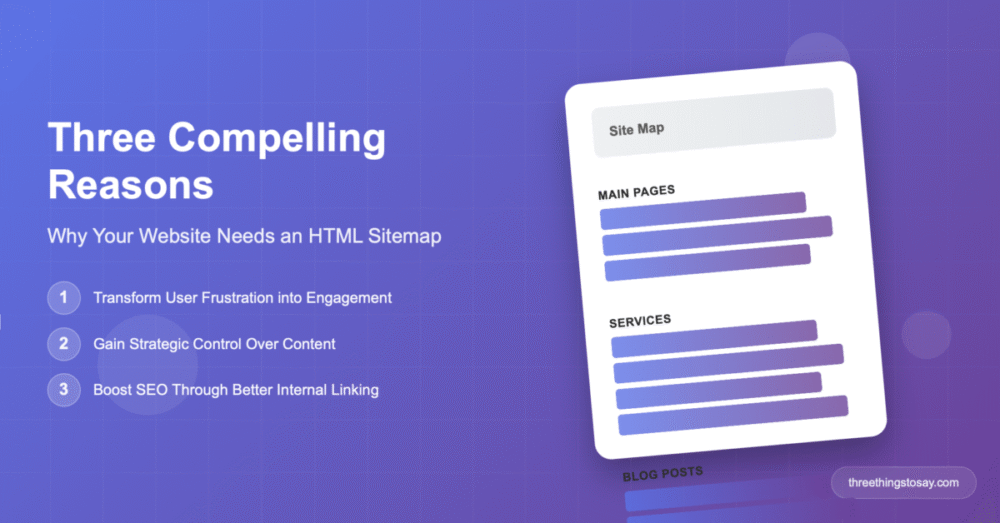
As a photographer, you’ve mastered the art of visual storytelling, carefully organizing your images to guide viewers through your work. But have you given the same attention to organizing your website itself? While you spend hours perfecting your portfolio galleries and blog posts, there’s one crucial element that many photographers overlook: the HTML sitemap.
Unlike the technical XML sitemaps that speak to search engines, HTML sitemaps are designed for your human visitors – the potential clients, fellow photographers, and art enthusiasts who visit your site. Here are three compelling reasons why every photography website needs one.
1. Showcase Your Complete Body of Work Like a Master Gallery
Think about how galleries organize exhibitions. They don’t just hang random pieces on walls – they create a logical flow that tells a story and helps visitors discover unexpected treasures. Your HTML sitemap serves the same purpose for your digital gallery.
Photography websites are uniquely complex:
- Multiple portfolio categories (weddings, portraits, landscapes, street photography)
- Blog posts covering techniques, gear reviews, and behind-the-scenes stories
- Educational content like tutorials and glossaries
- Business information and pricing guides
When a potential client lands on your website, they might arrive through a specific blog post about “Canon vs Nikon” or a single wedding gallery. But what if they want to see your portrait work? Or learn about your commercial photography services? Without clear navigation, they might never discover the full scope of your talents.
An HTML sitemap acts as your digital exhibition catalog, allowing visitors to:
- Browse all your portfolio categories at a glance
- Discover related content they might have missed
- Understand the breadth of your expertise and services
This is particularly powerful for photographers who work across multiple niches. A landscape photographer who also shoots corporate headshots can use their sitemap to showcase this versatility, potentially attracting clients they might never reach otherwise.
2. Control Your Professional Image with Strategic Content Curation
Not every page on your website deserves equal attention. You have showstopper galleries that represent your best work, and you have experimental shots you’re still developing. You have popular tutorials that demonstrate your expertise, and you have older blog posts that might need updating.
Manual sitemap curation gives you editorial control:
- Highlight your strongest portfolios while de-emphasizing work-in-progress galleries
- Feature educational content that establishes you as an authority in your field
- Showcase client testimonials and pricing to convert visitors into bookings
- Organize by client journey – from discovery to booking to working together
This approach is far superior to automated sitemap generators that treat every page equally. Why would you want a random “test gallery” or “draft blog post” to have the same prominence as your award-winning wedding portfolio?
Consider a wedding photographer’s strategic sitemap that leads with:
- Best wedding galleries organized by style
- Testimonials and reviews
- Pricing and packages
- Blog posts about planning and preparation
- Behind-the-scenes content that builds personal connection
This curated approach tells a story about who you are as a photographer and guides potential clients through a logical decision-making process.
3. Boost Discovery of Your Visual Content Through Better SEO Architecture
Photography websites face unique SEO challenges. Your most valuable content – your images – doesn’t naturally contain the text that search engines use to understand your site. This makes internal linking structure even more critical for photography websites.
HTML sitemaps create powerful SEO benefits specifically for visual content:
- Distribute link authority to your most important portfolio pages
- Help search engines understand the relationship between your different types of photography
- Provide text-based context for your visual content through strategic page linking
- Create pathways for search engines to discover new galleries and blog posts
When you manually curate your sitemap, you can ensure that your best work gets the SEO boost it deserves. Your award-winning landscape portfolio gets a valuable internal link, while that experimental black-and-white series you’re still developing doesn’t dilute your SEO efforts.
Photography-specific SEO benefits include:
- Better indexing of gallery pages that might otherwise be hard to discover
- Improved understanding of your specialties and geographic coverage
- Enhanced local SEO when you link location-specific galleries and blog posts
- Stronger topical authority when related content is clearly connected
Creating Your Photography Website Sitemap
The process should be as thoughtful as curating a gallery exhibition:
- Audit your content: List your strongest portfolios, most popular blog posts, and essential business pages
- Think like a visitor: Organize content in the order potential clients would want to discover it
- Customize the presentation: Match your website’s visual style to maintain brand consistency
Our HTML Sitemap Generator makes this process simple. Just paste the URLs of your chosen pages, customize the colors to match your brand, and generate clean HTML code ready for your website.
The Professional Advantage
In the photography world, attention to detail separates professionals from hobbyists. Your HTML sitemap is another opportunity to demonstrate that professionalism. A well-organized, thoughtfully curated sitemap tells visitors that you bring the same care and attention to your business as you do to your photography.
Whether you’re a wedding photographer helping nervous couples find pricing information, a landscape photographer showcasing the breadth of your travels, or a portrait photographer demonstrating your range with different lighting styles, an HTML sitemap ensures no visitor leaves your site without discovering what makes your work special.
Your images tell stories. Make sure your website structure does too.
Want to improve other aspects of your photography website? Explore more resources on camera equipment, photography techniques, and building your photography business.